What TikTok Video Length Works for Retention?
Try 20–30 seconds as a first TikTok retention test, then compare similar cuts and use completion, watch time, and drop-off patterns to guide edits.
A repeatable workflow for accurate, easy-to-read short-video captions: fix the transcript, shape phrases, check contrast and placement, then review the export.

Generate or transcribe the speech, then correct the words before styling anything. Break the text into short, natural phrases, use clear contrast and unobstructed placement, and watch the exported video on a phone to catch timing or readability problems.
Burned-in captions are part of the video image: they stay visible wherever that video is played and cannot be switched off separately. A subtitle track is a separate text layer that viewers can select when the viewing setup supports it. The choice affects both how the short looks and how much control viewers have.
Use burned-in captions when you want the text to appear as part of the visual presentation and stay consistent across destinations. Choose a separate track when viewers should be able to turn subtitles on or off, and confirm that your intended destination supports the track you export. If you need one consistent result and cannot rely on subtitle-track support, burning the captions in may be the more practical option.
If you are turning an existing long video into short clips, Clipfox burns captions into the clips it creates and offers 11 styles. It is for making clips from long videos, not a general-purpose editor for adding captions to any finished short. For a hands-on approach to making clips, see this long-video-to-shorts workflow.
Treat auto-generated text as a draft, not as a finished transcript. Play the video and compare every caption with the audio. Check names, numbers, technical terms, contractions, and short words that can be easy to mishear. Pay particular attention to fast speech, interruptions, and places where voices overlap.
When a line is wrong, correct or remove the transcription error before choosing a font, color, or animation. Styling cannot make inaccurate text reliable. If you cannot make out a word, replay that moment and consult the original recording or any available notes. Do not fill a gap with a plausible-sounding guess.
A useful pass is to follow the video from beginning to end while reading the captions, rather than checking isolated lines. This can reveal a word that is technically spelled correctly but assigned to the wrong speaker or shown at the wrong moment.
Split captions where a thought or spoken phrase naturally turns, not simply wherever a line happens to run out of space. A phrase should be easy to take in at a glance and should remain with the part of the speech it represents. Read each caption aloud against the recording to check that the breaks follow the speaker’s rhythm.
Avoid leaving a small word stranded on its own or splitting a name, expression, or grammatical unit in a way that makes the viewer pause to work out the meaning. Also watch for long blocks that cover several ideas at once. If the text feels crowded, find a more natural phrase break or revise the display instead of forcing the whole passage into one caption.
Punctuation should clarify the spoken meaning, not alter it. A comma, question mark, or full stop can change how a line is understood, so check punctuation in context. There is no single character count that will suit every speaking pace, screen, and style; judge the phrase in the actual video.
Use enough contrast for the words to separate clearly from the image behind them. A simple, consistent style is easier to follow than frequent changes in color, size, or motion. Reserve emphasis for moments that genuinely need it; if every word is highlighted, emphasis stops helping viewers find the point.
Place captions where they do not cover faces, important objects, or text already present in the footage. The best position can vary from shot to shot, so check more than one moment instead of choosing a location from a single frame. Compare the same style against both bright and dark shots. If it disappears in either, adjust the contrast or use a restrained background treatment that keeps the footage visible.
Do a final pass in this order:
A caption pass is complete when the words match the recording, the phrases are easy to follow, and the exported short remains readable in motion on a phone.
The Clipfox team · facts checked on October 13, 2026

Try 20–30 seconds as a first TikTok retention test, then compare similar cuts and use completion, watch time, and drop-off patterns to guide edits.
Learn what 9:16 means, why 1080 × 1920 is only one pixel size, and how cropping landscape footage affects detail in a vertical export.
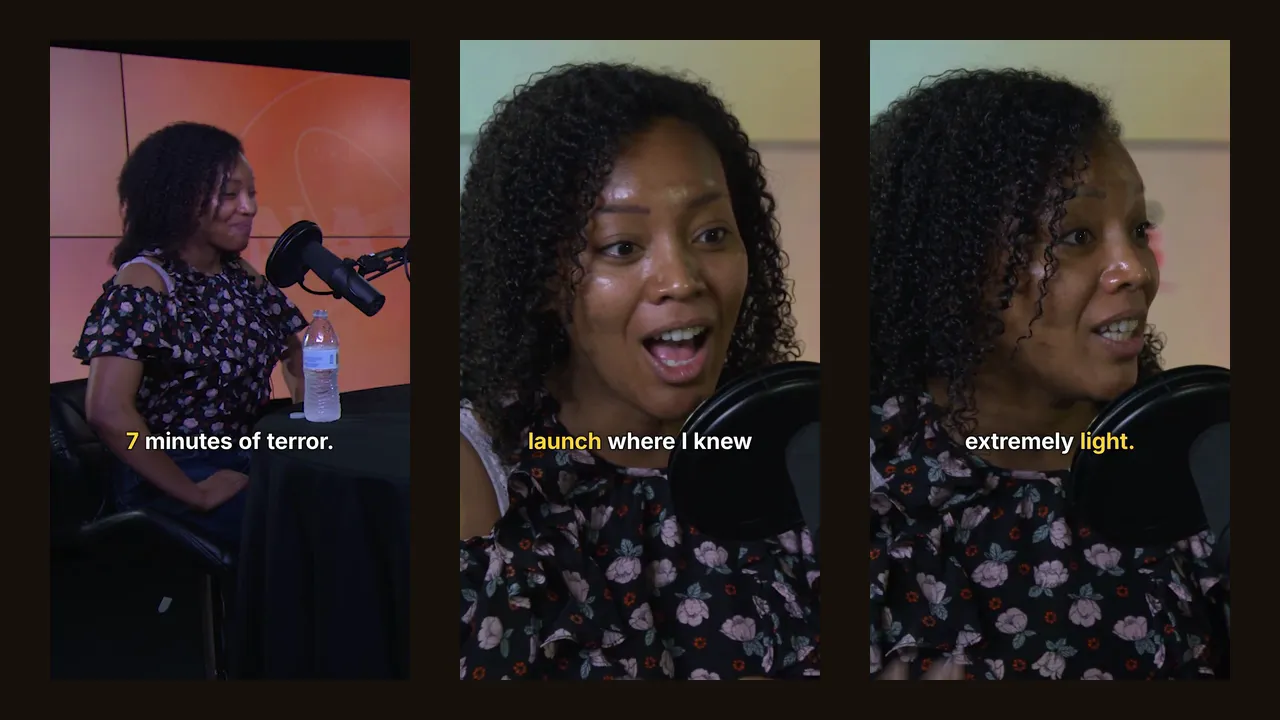
We ran a 14-minute podcast and a 29-minute live show through Clipfox. Number of clips, their length, processing time and real resolution, measured.